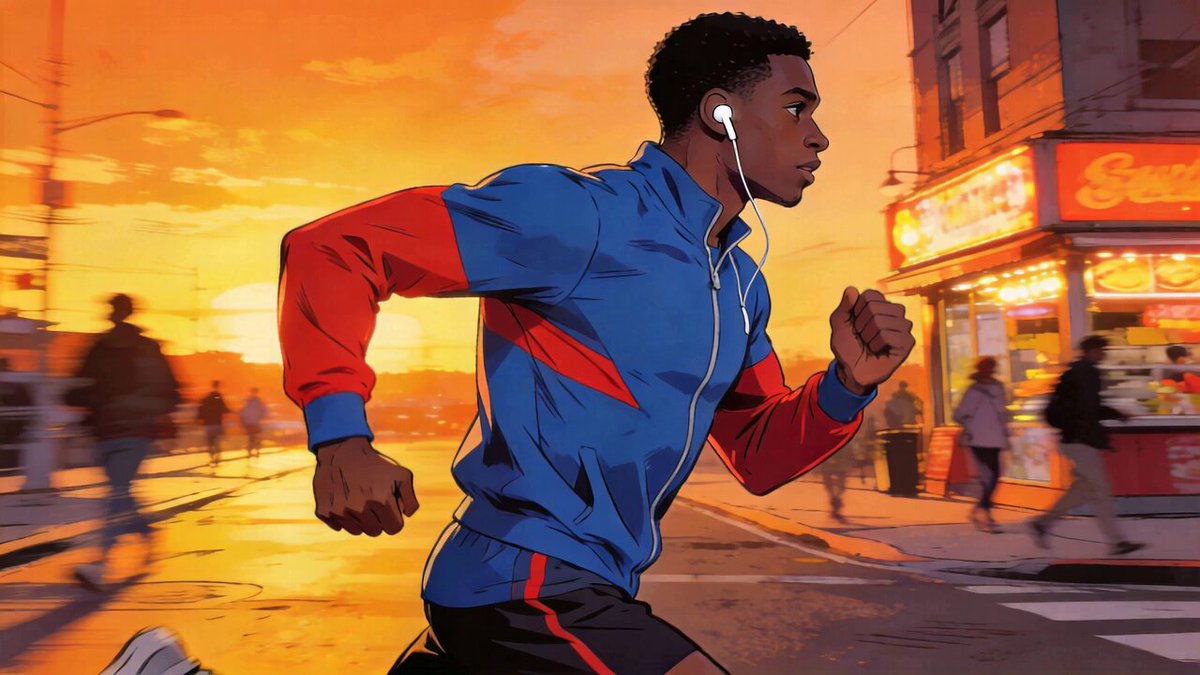
Last week, a friend who makes short videos complained to me: “Isn’t Seedance 2.0 very popular? I wrote a long paragraph of prompt words and added negative prompt words, and the resulting face looked like it had been turned around in a microwave.”
I took a look at his prompt word – Negative Prompt and wrote three lines. The action description was “rapid jumping and spinning”, and the adjectives were piled up in a row: “shocking, spectacular, extreme”.
The problem isn’t the tools. He transferred the old experience of using Midjourney and Stable Diffusion intact. Later, I helped him rewrite the prompt words using the formula of this article. For the same scene, the generated quality was completely different.
Seedance 2.0 is a video generation model launched by Bytedance Dream Platform (jimeng.jianying.com) in February 2026. Its temperament is different from those of previous AI tools. This article is not a product manual, but a “correction manual + practical guide” – first to help you get rid of old habits, and then install the correct posture.
What you can take away after reading: a set of replicable prompt word formulas, 10 directly usable scene templates (including 4 popular social media exploration scenes), a generation parameter setting guide, a troubleshooting list when the effect is not good, a step-by-step checklist when writing prompt words, and the most important thing – understand how Seedance 2.0 is different from other tools.
Who should read this? How to read in the most time-saving way
This article is more like the “Seedance production operation manual” for your team. Different readers can use it like this:
- [Newbie Creator] Just started playing AI videos
- Just watch: “5-Minute Super Lazy SOP” → “Counter-Common Sense 1–3” → Pick 2 templates and copy them.
- Goal: Stabilize 2-3 “non-overturning” videos first, and then consider the extra work.
- 【Old players who migrated from MJ/SD】
- Just look at: “Migration Cheat Sheet” → “8 Dimensional Formula” → “@引用杀手锏”.
- The goal: replace the original set of English keywords + parameter tuning thinking with Seedance’s “material + Chinese sentence” thinking.
- [Content Team/Studio] wants to release films in batches
- Just view: “Batch Production Workflow” → “10 Scene Templates” → “Checklist & Checklist”.
- Goal: Make your own set of team SOPs so that newcomers can produce films by following them.
Recommended collection: You can read it from beginning to end for the first time, and then use the “Migration Checklist/Template Index/Checklist” as a tool to read it at any time.
5-minute super lazy SOP (suitable for first time experience)
If you just want to make a decent video first, just follow this step by step and don’t change the process.
- Open the Jimeng platform jimeng.jianying.com → Log in → Click “AI Video” on the left.
- Top model cuts to Seedance 2.0.
- Select “Wensheng Video” for the generation mode.
- The parameters on the right are selected as follows:
- Duration: 5 seconds
- Resolution: 1080p
- Screen ratio: 9:16 (suitable for short videos)
- Copy the template below, paste it in as it is, and change only 2 words: season + scene.
一位穿白色亚麻连衣裙的年轻女生,长发微卷自然垂落,站在【春日午后】的【日式庭院木廊】上,樱花花瓣缓缓飘落在肩头和发间。近景,缓慢推镜,暖光从侧面洒入,柔光散射,日系清新暖色调,画面稳定无抖动,4K超高清,面部清晰不变形,五官自然,细节丰富,电影质感。- Click “Generate” and wait for the progress bar to finish.
- Do one thing: compare the “8-dimensional formula” below to see which dimensions in this prompt word you have never written before.
If you want to learn systematically, set aside 20 minutes, read it from beginning to end, and revise the next three exercises by yourself. You will be able to form muscle memory of the cue words within a week.
Understand Seedance 2.0 in 30 seconds: Three words summarize its positioning
Before dismantling the operation, let’s look at the data (February 2026):
| Dimensions | Seedance 2.0 | Kling 3.0 | Sora 2 | Veo 3.1 |
|---|---|---|---|---|
| Developer | Bytedance | Kuaishou | OpenAI | |
| Maximum resolution | 2K (2048×1080) | 1080p | 1080p | 1080p |
| Maximum duration | 15 seconds | 10 seconds | 12-25 seconds | 8 seconds |
| Picture input | Maximum 9 pictures | 1-2 pictures | 1 picture | 1 picture |
| Video Input | Up to 3 | ❌ | ❌ | ❌ |
| Audio inputs | Up to 3 | ❌ | ❌ | ❌ |
| Native audio | ✅ | ✅ | ✅ | ✅ |
| Core advantages | Controllability + multi-modality | Motion texture | Physical simulation | Light and shadow rendering |
Data is as of February 2026, and each product may change with version updates.
Three words summarize Seedance 2.0: Multi-modal input (any combination of four materials: picture + video + audio + text), 2K resolution (the highest in the industry so far), audio and video integration (pictures and sounds come out at once).
Sora wins in terms of accurate physical simulation, Kling wins in motion texture and skin rendering, and Seedance 2.0 wins in controllability – you don’t need to write a paragraph to “make a wish” for the AI to guess, but throw in a set of reference materials and tell it to “do this”.
How? By @引用系统和提示词公式. But before talking about the “correct posture”, let’s talk about the pitfalls that most people stumble upon as soon as they get started.
1 minute to find the entrance
If you are using it for the first time, follow this path:
- Open Jimeng platform: jimeng.jianying.com (need to log in to ByteDance/Douyin account)
- Find the “AI Video” entrance on the left menu
- The top switching model is “Seedance 2.0” (the default may be 1.5 Pro, remember to switch manually)
- Select build mode:
- “Wensheng Video”: Only write prompt words and do not upload materials – suitable for first-time experience
- “All-round reference”: Upload pictures/videos/audio + write prompt words – suitable for needs @引用的场景
- “First and last frame”: Only upload 1 first frame picture – suitable for simple pictures and videos
- In the settings panel on the right, select Duration, Resolution, Screen Ratio (see the Generation Parameters chapter for details)
- Write the prompt word and click “Generate”
💡 Recommended path for newbies: Select “Wensheng Video” → Select Seedance 2.0 for model → Copy any template in this article → Duration 5 seconds → Resolution 1080p → Point generation. The first experience is completed in 30 seconds.
Counter-Common Sense #1: Negative Cue Words? Stop writing
People who have used Stable Diffusion have basically developed the muscle memory of writing Negative Prompt – “no blur, no distortion, no extra fingers”.
Seedance 2.0 is completely indifferent to this set.
The model does not read negative cue words. You wrote it, but it pretended it didn’t see it. What’s even worse is that if you spend your energy on making a list of “what you don’t want”, the positive description you should actually write is not specific enough, and the effect will naturally be poor.
The method is very simple, just turn “don’t” into “yes”:
| Your old habits | The correct way to write Seedance |
|---|---|
| Negative: Don’t blur | The picture is sharp and detailed |
| Negative: Do not deform | The face is stable and not deformed, the facial features are clear, and the human body structure is normal |
| Negative: No shaking | Stable picture, no shaking, silky smooth |
| Negative: No extra fingers | The human body has natural proportions and normal structure |
To put it bluntly, there is only one rule for Seedance 2.0: **Just tell it what you want, don’t tell it what you don’t want. ** After flipping, these forward descriptions become “constraint words” in the following formulas – remember the flipping idea first, and how to write it will be explained in detail in dimension 8 later.
Try it – the same “character turns around” scene, wrong way of writing vs correct way of writing:
❌ ERROR (with negative prompt word):
一位女生在花园里转身。Negative Prompt: no blur, no distortion, no extra fingers, no deformation, 不要模糊,不要变形✅ Correct (all flipped to positive description):
一位穿白色棉麻衬衫的年轻女生,站在开满玫瑰的花园里,缓慢转身面向镜头,表情自然微笑,阳光从侧面洒下柔和光影。近景,固定镜头,画面锐度清晰,细节丰富,面部稳定不变形,五官清晰,人体结构正常,比例自然,画面稳定,无抖动,4K高清,电影质感。Copy the line on the right directly to Seedance 2.0 and try it out to feel the effect of “full forward description”.
Counter-Common Sense #2: The slower the action, the better the video
This one is the most counterintuitive.
You want to make a “cool” video, and instinctively write “characters running fast on the street, jumping over obstacles, and flipping to the ground.” The result – the human body is severely deformed and the limb proportions are completely out of control.
The reason is not complicated: the AI video model essentially makes interpolation predictions between frames. The faster and larger the movement, the greater the difference between the two frames, and the higher the probability that the model will “guess wrongly”.
Remember three words: slow, continuous and steady.
| Action type | ❌ Rollover writing method | ✅ Stable writing method |
|---|---|---|
| Character movement | Jumping quickly, running vigorously | Turning slowly, raising hands slightly, lowering head slightly |
| Expression changes | Laughing, exaggerated screaming | Slightly raised corners of mouth, eyes slowly looking towards the camera |
| Environmental dynamics | Storms, explosions | Breeze blowing hair, leaves slowly falling |
| Camera movements | Quick panning, sudden camera movement | Slowly advancing camera, slight circling, and steady tracking |
There is a simple way to judge: Seedance can basically do any action that you can capture in slow motion with your mobile phone; the kind that requires a high frame rate action camera to capture – there is a high probability of a car overturning.
Recommended Vocabulary: Slow, gentle, coherent, natural, smooth, not stiff.
Try it – the same “girl walking” scene, fast motion vs slow motion:
❌ Error (fast + wide):
一个女生在街上飞快奔跑,跳过台阶,头发大幅甩动,裙摆剧烈飘动,快速转弯冲向镜头✅ Correct (slow + coherent + small amplitude):
一位穿米色风衣的年轻女生,在秋日的银杏大道上缓慢行走,脚步轻盈,微风轻拂发丝,落叶缓缓飘落在肩头,女生微微侧头看向远方,表情宁静自然。中景,镜头缓慢跟拍,画面丝滑流畅,无抖动,治愈清新风格,暖色调,4K高清,面部稳定不变形,人体结构正常,细节丰富。Copy the line on the right to Seedance 2.0, and pay attention to whether the character’s body is naturally coherent when walking – this is the stability brought by “slowness”.
Counter-common sense #3: Don’t write “good-looking” – give pictures, not adjectives
“A beautiful scene, the picture is very beautiful.”
Seedance heard this sentence as if he heard nothing. “Beauty” and “good-looking” are subjective evaluations by humans. There is no visual anchor. The model does not know whether you are thinking of a Japanese garden or cyberpunk.
**Principle: Every adjective must be drawn. **
| ❌ Empty description | ✅ Specific description |
|---|---|
| Very beautiful girl | Young girl wearing white linen dress, long hair slightly curly |
| Beautiful scenery | Japanese garden in spring afternoon, cherry blossom petals falling slowly |
| Cool picture | City skyline at night, neon lights reflected on the wet ground |
| The picture is very rich | Cherry blossom branches in the foreground, characters in the middle ground, distant mountains in the background, three-layer composition |
| High-end feel | Dark tones, minimalist composition, cool lighting, matte texture |
The same goes for style descriptions. Don’t write “aesthetic”, write “healing and refreshing, Japanese warm colors, soft light scattering”. Don’t write “high-end”, write “cyberpunk, dark tone, minimalist and clean”.
You will find that after the prompt words are written specifically, even the generation time will be shortened – because the model no longer needs to “guess”.
Try it – the same “nice scene”:
❌ Error (empty adjective):
一个非常唯美的画面,一个漂亮的女生在很好看的风景里,画面很美,氛围感很强✅ CORRECT (Each word has a picture):
一位穿白色亚麻连衣裙的年轻女生,长发微卷自然垂落,站在春日午后的日式庭院木廊上,樱花花瓣缓缓飘落在肩头和发间。近景,缓慢推镜,暖光从侧面洒入,柔光散射,日系清新暖色调,画面稳定无抖动,4K超高清,面部清晰不变形,五官自然,细节丰富,电影质感。Compare the difference between the two prompt words: each description on the right can be “drawn” – white linen skirt, Japanese garden, side warm light. Try generating effects.
Counter-Common Sense #4: A video only talks about one thing
“Three people were having a picnic in the park, one was playing the guitar, the other was taking photos, and there was a dog running around, and there were planes flying over the sky.”
4 subjects, 5 actions. You have images in your head, Seedance has chaos in your head – it tries to render everything at the same time and ends up doing nothing well.
**One video = one subject + one core action. ** This is an iron rule.
❌ Three people were having a picnic in the park, one was playing guitar, one was taking photos, and a dog was running around
✅ A young girl is playing the guitar on the grass in the park, looking down at the strings slightly, with the sun shining on her side face
Need multiple people and multiple actions? Split into multiple videos and generate them separately, then use clipping and splicing. Seedance 2.0 takes 4-15 seconds to generate a single time. Splitting + splicing is the serious workflow.
Try it – take the correct version of “Playing Guitar in the Park” above and generate it directly:
一位穿格子衬衫的年轻女生,坐在午后公园的草坪上弹吉他,微微低头看琴弦,手指轻轻拨弦,阳光从侧面洒在脸上形成柔和光影,背景是虚化的绿色草地。中景,固定镜头,画面稳定无抖动,治愈清新风格,4K高清,面部清晰不变形,人体结构正常,动作自然流畅,不僵硬,细节丰富。One subject (girl) + one core action (lowering the head to pluck the strings) + a simple scene (lawn). After generation, feel the picture quality brought by “focus”.
Counter-Common Sense #5: Don’t Just Write Text – @引用才是杀手锏
Most people open Seedance 2.0 the same way they use ChatGPT—write a paragraph in the box and click Generate.
This only uses 30% of its capabilities.
The biggest upgrade of Seedance 2.0 is called multi-modal input: you can throw in pictures, videos, and audios together, and then use the @ symbol to tell the model what each material does.
Specific operations
- Select the “All-round Reference” entry (don’t select the “First and Last Frame” entry, that one only supports a single picture)
- Drag and drop to upload materials: up to 9 pictures, up to 3 videos (total duration ≤15 seconds), up to 3 audios (total duration ≤15 seconds), and the total maximum number of mixed files is 12
- Use
@in the prompt word to assign tasks:
@图片1 作为首帧人物形象
@图片2 参考场景背景
@视频1 参考镜头运动方式
@音频1 用于背景配乐
人物缓慢转身微笑,微风吹动头发,镜头平稳跟随,画面稳定,4K高清,面部不变形
Simply type @ in the input box to bring up the reference panel, or click the @ button on the toolbar. After the operation is successful, a colored label will appear in the input box, and the material file name will be displayed on the label – seeing this means that the reference has been bound.
How to use each material
| Material type | What to use | Writing examples |
|---|---|---|
| Picture | Lock the character’s facial features/clothing/scene | @图片1 作为首帧,保持人物样貌 |
| Video | Reproduction of camera movements/actions/transitions | @视频1 参考镜头语言和运镜 |
| Audio | Pitch/Soundtrack Reference | @音频1 用于配乐 |
| Multiple pictures | Characters + scenes specified separately | @图片1 人物形象 @图片2 场景风格 |
Three easy pitfalls
** Pitfall 1: @引用对错号. ** I uploaded 3 pictures and wanted to use the 2nd picture as the first frame, but @图片1 pointed to the 1st picture. After writing, hover the mouse to confirm. 3 seconds can save 3 minutes of waiting.
** Pitfall 2: Use pictures as video references. ** The uploaded is a static picture, but the prompt says “refer to @图片1‘s camera movement” – where did the camera movement of the static picture come from? No sense.
** Pitfall 3: Confusing “reference” and “editing”. ** These two uses are completely different:
- “Refer to
@视频1‘s camera movement” = learn this camera movement method and regenerate the content - “Change the girls in
@视频1to Hua Dan” = Change on this video
Exclusive capabilities of @引用系统是 Seedance 2.0. As of now, Sora, Kling, and Veo do not have the same level of multi-modal combined input.